April 24, 2026
How to Set Up an RTK Base Station for Land Surveying (Step-by-Step)
By Harish Mohanty, Chief Technology Officer, Airace Technologies
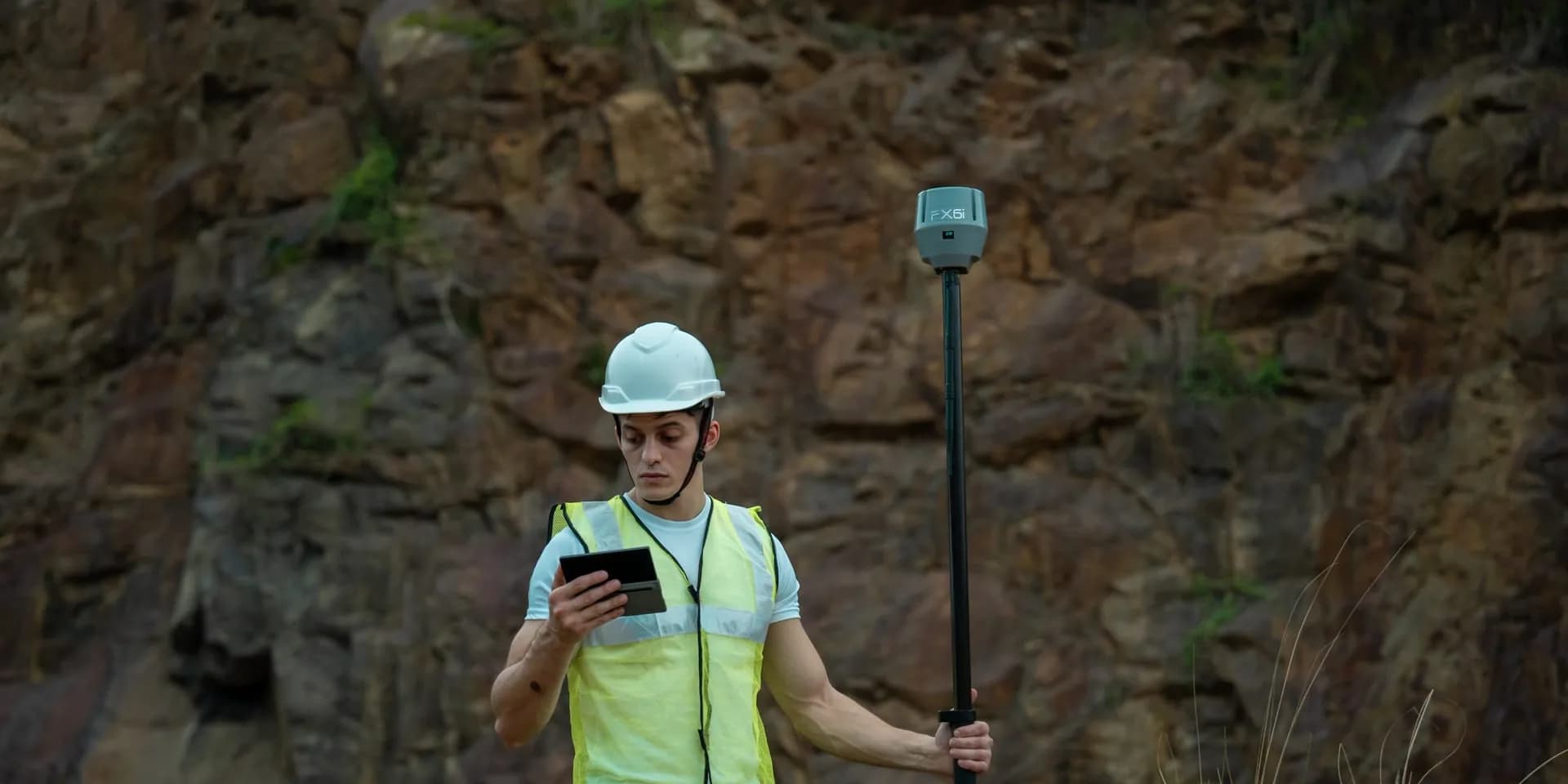
An RTK base station is what turns a GNSS receiver into a centimetre-accurate survey instrument. The base broadcasts correction data to a rover (or several rovers), letting them resolve their position to 8 mm + 1 ppm in real time. Setting one up correctly takes 15–30 minutes and is the difference between a productive survey day and one spent troubleshooting fixes. This guide walks through the full procedure.
What you need
- One GNSS receiver configured as the base (e.g. Airace FX6i)
- One or more receivers configured as rovers
- A heavy-duty surveying tripod with tribrach and optical/laser plummet
- A known control point, or a clear sky for autonomous base initialisation
- Correction transport: UHF radio, 4G/NTRIP, or both
- Field controller (Android phone/tablet) running the data-collection app
- Power: receiver internal battery + spare; external battery for long sessions
Step 1, Choose the base location
The base location decides the quality of every rover fix for the rest of the day. Three rules:
Sky visibility
Open sky in all directions above 15° elevation. Avoid trees, buildings, vehicles, and metal structures within a 30-metre radius. Reflective surfaces (glass, metal) cause multipath that the base will broadcast as error.
Stability
Hard ground, concrete, compacted soil, rock. Soft soil settles during a survey day and shifts the base position by millimetres. If you must use soft ground, push tripod legs deep and revisit the bubble after 10 minutes.
Security & line-of-sight
If broadcasting via UHF radio, the base needs line-of-sight (or near line-of-sight) to the survey area. Higher ground beats valley bottoms. If using 4G/NTRIP, mobile signal at the base location matters.
Step 2, Set up the tripod and tribrach
- Open the tripod legs to a wide, stable stance, about shoulder-width.
- If centring over a known control point, position the tripod so the head is roughly above it.
- Mount the tribrach on the tripod head and lock it.
- Centre the tribrach over the control point using the optical or laser plummet, then level the tribrach using the bullseye bubble, adjust each leg height in turn.
- Re-check the plummet. If it has drifted, shift the tribrach in its mount (don't move legs again). Re-level. Repeat until both plummet and bubble are perfect.
For autonomous base setups (no known control point), skip plummet centring, just level the tribrach on stable ground.
Step 3, Mount the receiver and antenna
Thread the receiver onto the tribrach. Measure and record the antenna height from the control point (or ground reference) to the antenna reference point (ARP) on the receiver. This number goes into your field software and directly affects every elevation you measure. A 5 mm error here = 5 mm error on every point.
Step 4, Configure the receiver as a base
In the field-data app, create a new base configuration and set:
- Base mode: Known point or Auto/Average
- Coordinates: If known point, enter the published coordinates and projection. If auto, let the receiver self-survey for 5–10 minutes (longer = better accuracy).
- Antenna height: The number you measured in Step 3.
- Correction format: RTCM 3.2 or 3.3 is standard. Match what your rovers expect.
- Constellations: Enable GPS, GLONASS, Galileo, BeiDou, and NavIC for Indian surveys.
- Elevation mask: 10°–15°. Lower mask = more satellites but more noise.
Step 5, Choose a correction transport
Option A, UHF radio (no internet needed)
Best for remote sites with no mobile signal. Configure base and rovers to the same UHF frequency, channel, protocol (Transparent / TT450 / Trimtalk), and baud rate. Effective range is typically 5–10 km in line-of-sight, less in obstructed terrain. Mount an external whip antenna on the base for best range.
Option B, NTRIP over 4G (no radio needed)
The base streams corrections to a NTRIP caster (your own server, or a paid service). Each rover connects to the caster over 4G and pulls the correction stream. No range limit, works city-wide or even nationally. Requires mobile signal at base and at every rover, plus a NTRIP mount-point username/password.
Option C, Both
Many modern receivers, including the Airace lineup, support simultaneous UHF + NTRIP broadcasting. Useful when you have rovers in mixed coverage zones.
Step 6, Start broadcasting
Tap "Start base" in the field app. The receiver will:
- Acquire and lock onto satellites (1–2 minutes).
- Determine its position (instant if known point, 5–10 minutes if auto-averaging).
- Begin transmitting RTCM corrections via the configured channel.
Verify the base is broadcasting by checking the status indicator (LED or app readout). For UHF, confirm the radio TX light is blinking. For NTRIP, confirm the caster shows your mount-point as active.
Step 7, Configure and pair the rover
On each rover:
- Set role to Rover.
- Configure the matching correction transport (UHF channel/frequency, or NTRIP server URL + mount-point).
- Enable the same constellations as the base.
- Wait for the rover to receive corrections and resolve a fix. You should see the status progress: SINGLE → DGPS → FLOAT → FIXED.
- FIXED status means you're at centimetre accuracy. Begin point capture.
If you stay at FLOAT for more than 60 seconds, troubleshoot before continuing. Typical causes: weak correction reception, satellite count mismatch between base and rover, ionospheric activity, or multipath at the rover.
Step 8, Verify accuracy on a known point
Before logging production data, walk the rover to a second known point (a benchmark, a previously surveyed corner, or a check pin) and measure it. Compare the measured coordinate to the published one. Acceptable agreement: within 15 mm horizontal, 25 mm vertical for typical RTK work. If the disagreement is larger, recheck base setup, antenna heights, and projection settings before continuing.
Common mistakes to avoid
- Wrong antenna height, single biggest error source. Measure twice, record clearly.
- Mismatched RTCM versions, base on RTCM 3.2 and rover expecting 3.3 will silently fail.
- Different elevation masks at base and rover, causes inconsistent satellite use and unstable fixes.
- Moving the base mid-survey, every measurement after the move is wrong.
- Not checking battery, a base that dies silently corrupts a half-day of survey work.
- Ignoring NavIC, Indian surveys benefit measurably from NavIC; enable it on both base and rover.
Beyond a single base, network RTK
For larger projects or surveying over wide areas, consider connecting your rovers directly to a CORS / VRS network (the Survey of India CORS network, or a state-level network). This eliminates the need for a local base entirely, your rover gets virtual reference station corrections over 4G. Made-in-India receivers including the Airace FX6i support all major NTRIP-based VRS networks.
Final word
An RTK base station is simple equipment, but the setup procedure rewards discipline. Sky visibility, antenna height, and matching configuration between base and rover are the three things that separate a productive survey day from a frustrating one. Done right, your rover gets a fix in 15 seconds, holds it all day, and gives you 8 mm horizontal accuracy on every point.
Talk to our team if you'd like a hands-on training session, or explore our calibration and field-services packages.